


Claude Code is getting a lot of love lately, and rightly so. But here’s what most of the hype pieces miss: Claude Code on its own is a framework that people build on. Running it vanilla won’t give you the magical results you might be expecting.
I’ve spent the last several months building and testing tools that extend Claude Code’s capabilities—and using them daily on real client work. The results? Sessions that run longer before context drift becomes a problem. Semantic code search that actually finds what I’m looking for across large codebases. Persistent memory that makes subsequent prompts more effective. Here’s my complete toolkit and how to set it up.
A caveat before we dive in: this setup assumes you have local control over your development environment—no corporate proxies blocking MCP connections, no air-gapped networks, no policies preventing CLI tool installation. If you’re in a locked-down enterprise environment, some of this won’t apply cleanly. I’ll note the dependencies as we go.
(Everything I’m covering is in my LLM Toolkit GitHub list if you want to browse.)
TL;DR
Claude MPM provides multi-agent orchestration, specialized agents, and session continuity on top of Claude Code
mcp-vector-search enables semantic AST-based code search—tested on codebases up to 230K lines
kuzu-memory remembers prompts and commits, enriching future sessions automatically
mcp-ticketer powers ticket-driven development with Linear, GitHub, Jira, and Asana integration
mcp-skillset provides a searchable vector + graph database of curated skills
These tools work with any MCP-compatible coding assistant, but they’re designed to work together
Why vanilla Claude Code isn’t enough
Don’t get me wrong—Claude Code handles most tasks beautifully out of the box. The agent loop, file operations, git workflows, bash execution. For quick tasks and single-file changes, you don’t need anything else.
But here’s where it falls short:
Context evaporates. Long sessions hit the context window limit and you start over. Previous conversations? Gone. That decision you made three hours ago about architecture? Claude doesn’t remember it.
Code search is keyword-based. When you ask “where do we handle authentication?” but the code uses “login” and “session validation,” you get nothing useful back.
No persistent memory. Every session starts from zero. The patterns Claude learned about your codebase yesterday? Lost.
Single-threaded execution. You’re running one Claude instance doing one thing at a time.
The tools I’ve built address each of these limitations. And importantly, they’re designed to work together—or independently with any MCP-compatible coding tool.
Claude MPM: The orchestration layer
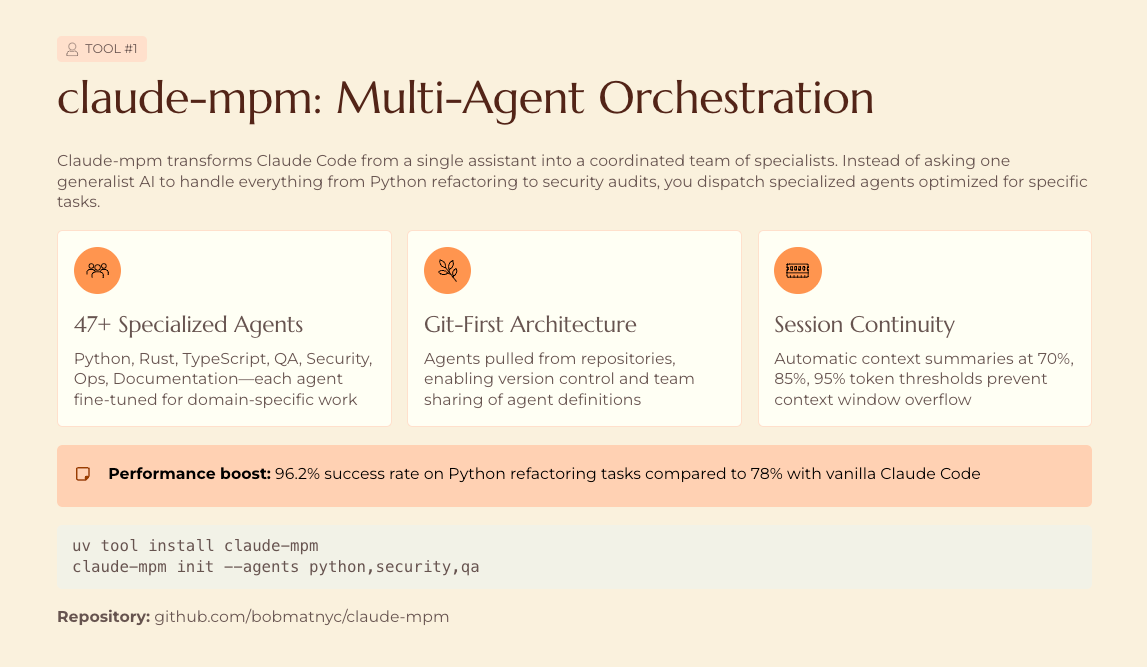
Claude MPM (Multi-Agent Project Manager) is my orchestration framework built on top of Claude Code. It’s now at version 5.1.2 with 1,388 commits and 198 releases. Here’s what it provides:
47+ specialized agents deploy to your ~/.claude/agents/ directory—Python Engineer, Rust Engineer, TypeScript Engineer, QA, Security, Ops, Documentation specialists. Each agent has domain-specific instructions that improve output quality for its area. How much improvement varies by task type; I see the biggest gains on framework-specific work where the agent’s instructions include current idioms.
Session continuity through automatic context summaries at 70%, 85%, and 95% thresholds. The --resume flag picks up where you left off instead of starting over. This works better for implementation sessions than exploratory ones—summaries necessarily lose nuance.
Git-first architecture pulls agents and skills from repositories rather than bundling everything locally. Custom repos slot in via priority-based resolution.
Installation
Pick your preferred method:
# Recommended: includes monitoring dashboard
pipx install "claude-mpm[monitor]"

# Alternative via uv
uv tool install claude-mpm

# macOS via Homebrew
brew tap bobmatnyc/tools && brew install claude-mpm
Then run:
claude-mpm run
That’s it. The agents deploy automatically.
Why orchestration matters more than raw model power
I tested this extensively and wrote about the results. In my testing across a set of 50 Python refactoring tasks (mix of greenfield and legacy code, evaluated by whether tests passed post-change), Claude MPM achieved 96.2% success compared to 78% for vanilla Claude Code on the same tasks. The same underlying model produces noticeably different results depending on how it’s orchestrated.
The hierarchical BASE-AGENT.md pattern reduces agent instruction duplication by 57% (measured in instruction token count, not behavioral overlap) through template inheritance, while ETag-based caching cuts network bandwidth by 95%+ when pulling agent updates.
mcp-vector-search: Semantic code understanding
mcp-vector-search changes the failure modes of codebase navigation. Instead of grep-style keyword matching, it uses AST-aware parsing and semantic embeddings to find code by meaning.
Here’s a real example: Last week I pointed it at a client’s Java codebase—230,000 lines across 1,200 files. They wanted to understand their authentication flow. Keyword search for “auth” returned noise. Semantic search for “user authentication and session management” returned the exact classes and methods responsible, ranked by relevance. The largest codebase I’ve indexed was around 400K lines; beyond that, indexing time becomes painful and you’ll want to scope to specific directories.
How it works
The tool parses code using Tree-sitter (8 languages supported: Python, JavaScript, TypeScript, Dart, PHP, Ruby, HTML, Markdown), generates embeddings via all-MiniLM-L6-v2, and stores vectors in ChromaDB. Connection pooling provides ~14% faster query response in my benchmarks (measured on repeated semantic queries against a 50K-line TypeScript repo, M2 MacBook). File watching triggers automatic reindexing when code changes.
Setup
# Install
pip install mcp-vector-search

# Initialize (creates ChromaDB, configures embeddings)
mcp-vector-search setup

# Add to Claude Code
claude mcp add mcp-vector-search
Then index your codebase:
mcp-vector-search index /path/to/your/code
Now Claude can search semantically. Ask “where do we validate user permissions?” and get meaningful results even if the code never uses those exact words.
Where it doesn’t help
Semantic search isn’t magic. It struggles with highly domain-specific terminology that didn’t appear in the embedding model’s training data. Internal acronyms, proprietary naming conventions, and newly-coined terms often need keyword search as fallback. I keep both approaches available.
kuzu-memory: Persistent context that compounds
kuzu-memory solves the “starting from zero” problem. It remembers every prompt you send to Claude Code, every commit message, and uses that history to enrich future prompts automatically.
The more you use it, the better it gets.
The architecture
Built on Kuzu, an embedded graph database that’s fast (<3ms recall, <8ms generation), offline-first, and requires no LLM calls for memory operations. The entire database is a single file under 10MB—perfect for version control.
The cognitive memory model mirrors how human memory works:
SEMANTIC (never expires): Facts about your codebase, architecture decisions
EPISODIC (30 days): Specific experiences, debugging sessions, what worked
WORKING (1 day): Current task context
SENSORY (6 hours): Recent observations
Git commit history enrichment automatically captures project evolution, so Claude understands what changed and why.
Setup
# Install
pip install kuzu-memory

# Initialize
kuzu-memory setup

# Add to Claude Code
claude mcp add kuzu-memory
You can also integrate via hooks to automatically capture context from every session.
mcp-ticketer: Ticket-driven development
mcp-ticketer is how I implement TxDD (Ticket-Driven Development). Look at the issues in any of my repos and you’ll see the pattern—structured tickets that capture research, decisions, and implementation context.
The tool provides a unified interface across Linear, GitHub Issues, Jira, and Asana. One API, multiple backends.
Why this matters
Token efficiency is critical when you’re loading ticket context. Compact mode delivers 70% token reduction for ticket lists, letting you query 3x more tickets within context limits. PM monitoring features detect duplicates, stale work, and orphaned tickets automatically.
Setup
# Install
pip install mcp-ticketer

# Configure your backend (example: Linear)
mcp-ticketer config set linear --api-key YOUR_KEY

# Add to Claude Code
claude mcp add mcp-ticketer
Now Claude can create, query, and update tickets as part of its workflow.
mcp-skillset: Dynamic skill discovery
mcp-skillset provides a searchable database of curated skills—including some of the best skill repos out there, plus your own custom additions.
Unlike static skills loaded at startup, this enables runtime discovery using hybrid search: 70% vector (ChromaDB) + 30% knowledge graph (NetworkX) by default, tunable based on your needs.
What’s included
The default index includes Anthropic’s official skills, community-contributed patterns, and framework-specific guidance. Security features include prompt injection detection and repository trust levels.
Setup
# Install
pip install mcp-skillset

# Initialize with default skill repos
mcp-skillset setup

# Add custom skill repos
mcp-skillset add-repo https://github.com/your-team/custom-skills

# Add to Claude Code
claude mcp add mcp-skillset
Brief comparison: Other orchestration approaches
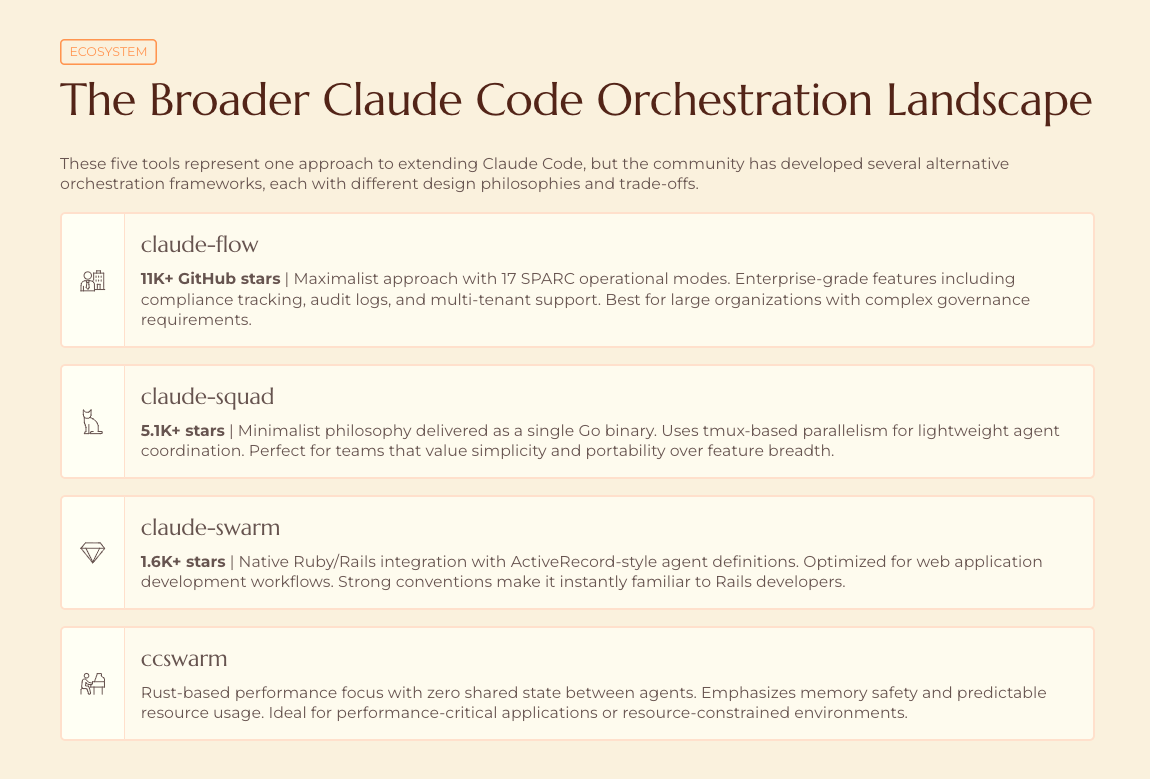
I’ve designed these tools to work with any MCP-compatible coding assistant, not just my framework. But if you’re evaluating orchestration options, here’s the landscape. A caveat: most of these performance claims are self-reported and benchmark-specific. I haven’t independently verified them, and SWE-Bench scores in particular don’t always translate to real-world performance.
claude-flow (11K+ stars) is the maximalist option: 17 SPARC modes, 54+ agents, 100+ MCP tools, web UI dashboard. The project claims 84.8% SWE-Bench solve rates—impressive if reproducible, though I haven’t tested it myself. If you need enterprise-grade features, this is worth evaluating. The complexity ceiling is high; budget time for configuration.
claude-squad (5.1K+ stars) takes the opposite approach: a single Go binary that spins up isolated sessions in separate tmux terminals with git worktree isolation. Dead simple. cs starts the TUI, you work in parallel, review and merge. Zero configuration. This is what I recommend if you just want parallelism without learning a new system.
claude-swarm (1.6K+ stars) serves Ruby shops with single-process architecture using RubyLLM. Good if you’re building Rails applications and want native library integration rather than CLI orchestration.
ccswarm brings Rust’s performance guarantees—type-state patterns with zero shared state, claimed 70% memory reduction through native context compression. Haven’t stress-tested this one; the architecture looks promising for resource-constrained environments.
My approach with Claude MPM sits somewhere in the middle: more capable than bare Claude Code, less complex than claude-flow, with a focus on agent quality and session continuity over feature breadth. The trade-off is that it’s opinionated about workflow—if you want raw flexibility, claude-squad might suit better.
Putting it all together
Here’s my actual workflow with these tools running together:
kuzu-memory loads relevant context from previous sessions automatically
mcp-vector-search helps Claude find the right code when exploring the codebase
mcp-ticketer pulls in the current ticket’s context and acceptance criteria
mcp-skillset provides relevant best practices for the task at hand
claude-mpm orchestrates specialized agents for implementation, testing, and review
The result: sessions that run longer before I need to reset context, fewer “where is this code?” dead ends, and accumulated knowledge that actually persists between sessions. Before I built this stack, I was spending maybe 20% of my Claude Code time re-explaining context or manually finding files. That overhead dropped significantly.
These tools work independently too. Use mcp-vector-search with vanilla Claude Code. Add kuzu-memory to Cursor or Windsurf via MCP. Mix and match based on what you need.
The broader point: Claude Code is becoming infrastructure, not just a tool. The value increasingly comes from how you extend it—the orchestration layer, context management, workflow integration. If you’re getting mediocre results from vanilla Claude Code, the fix probably isn’t a better model. It’s better scaffolding around the model you have.

I’m Bob Matsuoka, writing about agentic coding and AI-powered development at HyperDev. For more on multi-agent approaches, read my analysis of why orchestration beats raw power or my deep dive into Claude MPM 5’s architecture.
Hi Robert, I am trying to install your toolchain and it looks promising. However, I run into many configuration issues due to the absence of a unified installation process. Some examples :
- claude-mpm auto-configure doesn't initialize neither kuzu nor mcp-vector-search on a new project
- mcp-vector-search seems to have watch_files:false by default, which is maybe counter-intuitive (I would expect it to update its index when I change my code)
- mcp-vector-search doesn't seem to be recognized at all by claude-mpm verify (at least I installed it via uv, it works in standalone but claude-mpm's mcp config fails inside Claude Code. Will try reinstalling it with pipx)
- agents deployment is unclear. Through auto-configure you can either accept or discard the auto selection of agents, but no granularity if you want to keep one of the agents marked as irrelevant. Also, it removes all the custom agents I wrote prior to installing the tool, without any notice
- mcp-vector-search seems to have a bug when indexing : index_project(force:true) first returns 0 files indexed, then retrying again the same index_project(force:true) works and files get properly indexed.
- kuzu-memory's own init command seems to install hooks in the claude settings, but they interfere with claude-mpm's own hooks setup.
What I am lacking is an all-in-one claude-mpm automated installer which handles:
- optional installation of mcp servers (no separate install and configuration commands) -> the installer does all of this on its own
- then once all of the mcp servers are installed, include the setup of those mcp servers at project level in a claude-mpm init command (which would install agents, initialize vector search and kuzu memory properly, deal with claude code hooks automatically depending on all the mcp servers installed, etc.)
This is my honest review. Overall, I have seen a neat improvement of the agent's behavior and I like that it take quite a lot of initiatives on its own. Very great job, thanks a lot for making it open!
Very interesting read, thank you!